




Will your AI-generated logo work on clothing?
Sometimes yes, sometimes not as it stands — and it depends far more on the detail in the design than on the tool that made it. Here's how to tell, and a one-minute trick that fixes most problems before they start.
It depends on the detail — and the method
AI logo tools are brilliant, and for a lot of uses what they produce is ready to go. The trouble only starts when the logo has to leave the screen and live on a garment — because a screen and a needle are very different things.
For print — usually fine
DTF print reproduces full colour and detail, so most AI designs go onto a garment much as you see them. Size is the main thing to watch.
For embroidery — heavy detail is the enemy
Thread can't reproduce fine, busy, illustrative artwork. A detailed AI design has to be simplified before it can be stitched.
The fix is easy — and free
You can simplify an AI logo yourself, in the same tool, before you ever send it to us. There's a one-minute trick below.
Why AI logos struggle in thread
Embroidery renders your logo by stitching it — a needle running at around 850 stitches a minute, punching thread through fabric into a backing. That's a fundamentally different thing from pixels glowing on a screen. Fine lines, tiny text, subtle shading, photographic detail, a busy background — all the things an AI image generator loves to add — simply can't be reproduced in thread. They blur, clog or get lost.
The catch is that AI tools are designed to produce exactly that richness. Ask for a logo and you'll often get a beautifully detailed little scene — a character, a landscape, a building, gradients everywhere. It looks fantastic at screen size. Shrunk to a left chest and rendered in thread, that detail has nowhere to go.
A real example from our floor: someone once sent us a gorgeous AI illustration of themselves on a road — house, van, lawn, fencing, the lot. Genuinely lovely image. But the logo we actually needed to embroider was the plain company name on the side of that van. The scene was never going to stitch; the name always would.
The logo is there to catch the eye, not do a presentation.— Penguin Uniform production team
Print is more forgiving — but not limitless
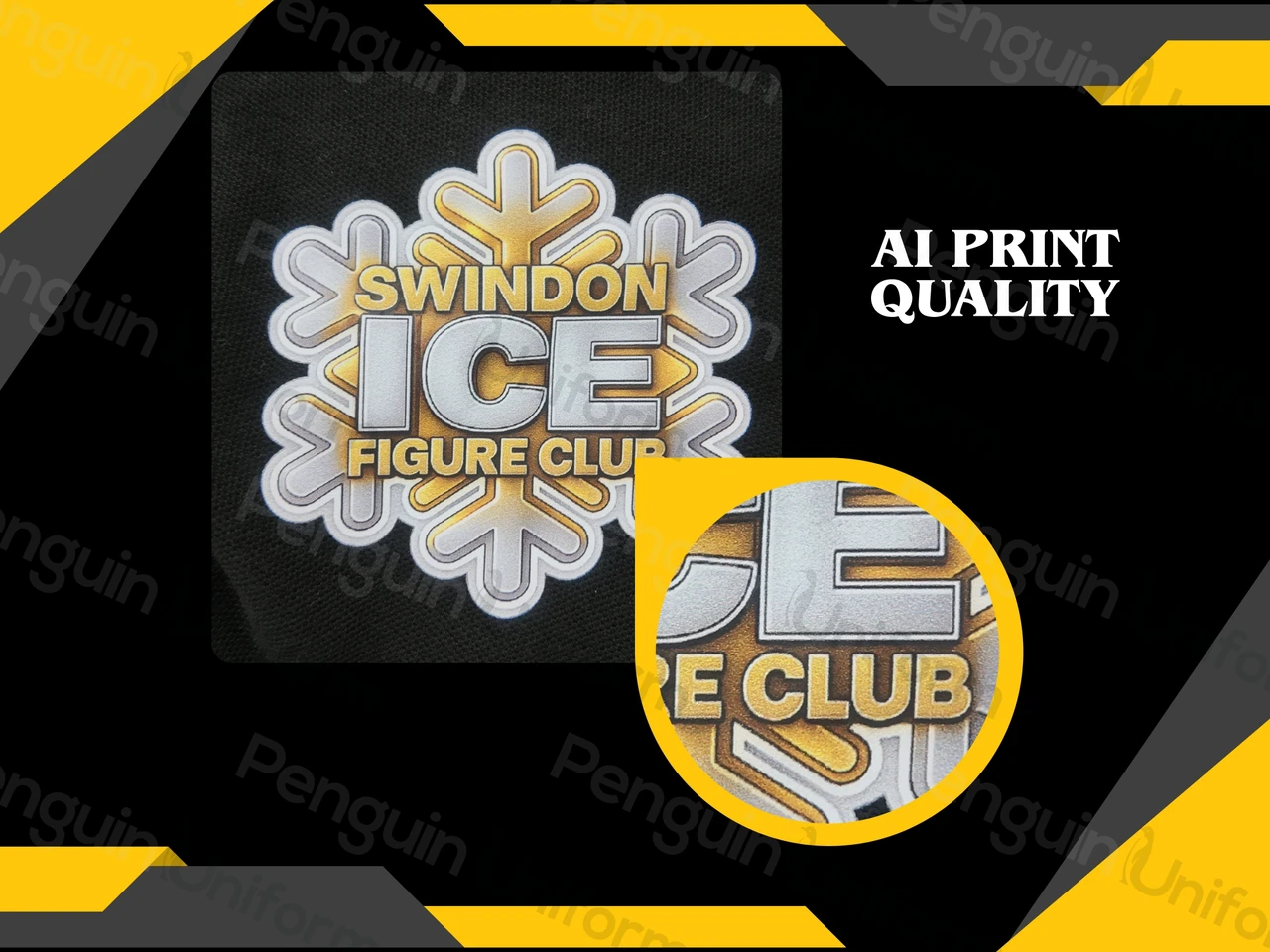
If you're printing rather than embroidering, an AI logo has a much easier ride. DTF print lays your design down as full-colour ink, so gradients, detail and colour blends that thread can't hold come through cleanly.
The one thing to watch with print is size. The ink is held on by an adhesive, and below a certain scale there isn't enough of it to grip the very finest detail — so a design crammed with tiny elements can still lose its crispest lines when printed small. But as a rule, if you're going down the print route, your AI logo is far more likely to work as-is.
The file itself
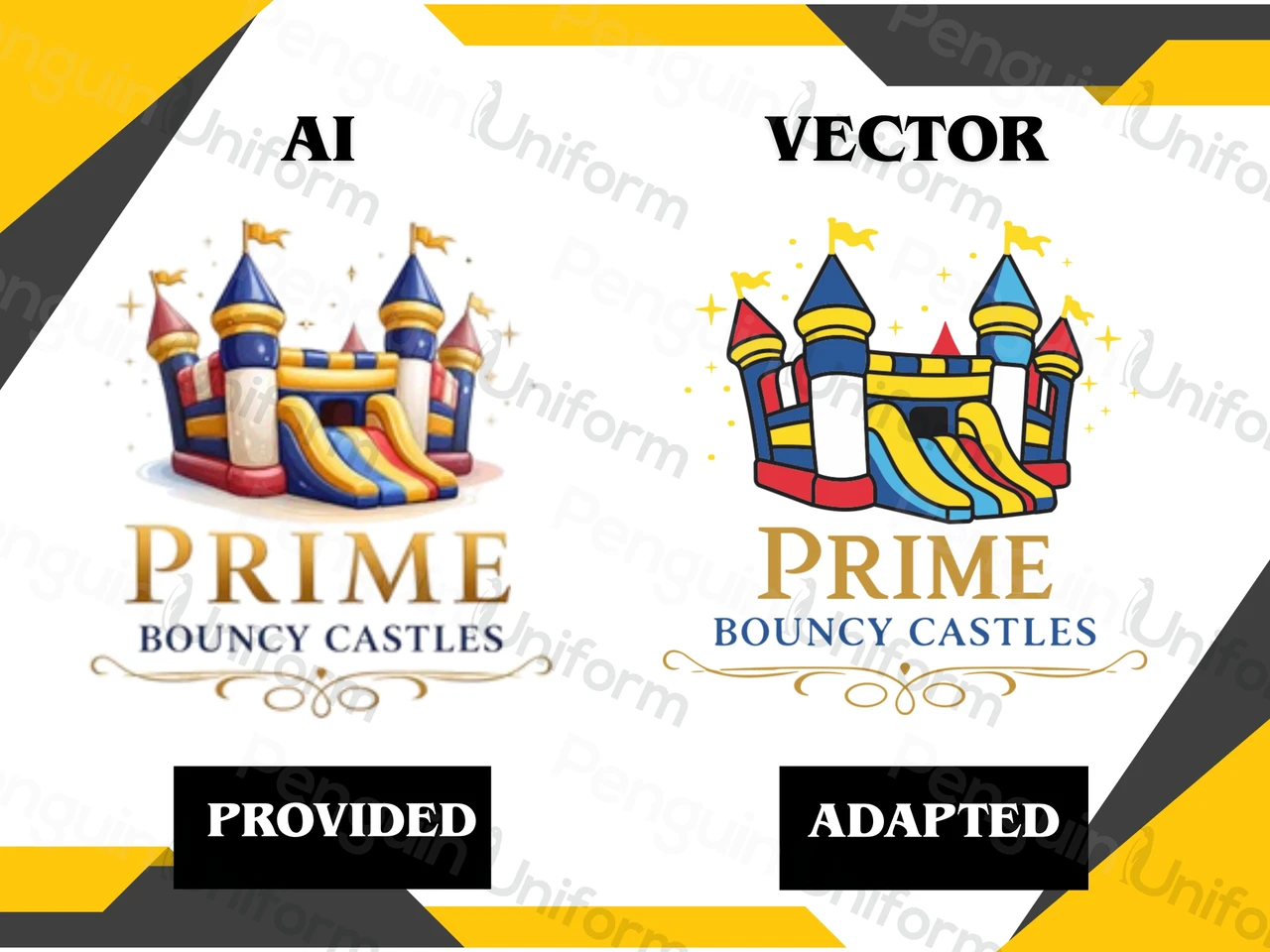
AI tools usually hand you a flat image — a PNG or JPEG. That's a raster file (made of pixels), and for the cleanest results on either method we often want a vector version (built from scalable lines, the kind saved as AI or EPS). It's not a blocker — we can redraw a logo into a clean, scalable version — but it's worth knowing an AI logo may need that step. Our guide to getting your logo ready explains why.
Ask the AI to simplify it — before you send it
This heads off almost every problem, and you can do it yourself in the same tool.
Step 1 · Get what you loveLet the AI generate exactly the logo you're after. Don't hold back on the vision at this stage.
Step 2 · Ask it to simplify for embroideryThen, in the same chat, ask it a second question:
"If I were going to simplify this version for embroidery, to go on work clothing, how would you do it?"You'll usually get back a cleaner, bolder, decoration-ready version — and you'll start to see for yourself what makes a logo work in thread. A shorter nudge — "make this embroidery-friendly, I'm ordering workwear" — does much the same job. That one follow-up saves more back-and-forth than anything else we could tell you.
How we help
Send us your AI logo and tell us how it'll be used, and we'll give you a straight answer: whether it works as-is, whether it needs simplifying for embroidery, or whether it's better suited to print. If it needs work, we'll show you what we can do with it — or suggest a cleaner version first. Nine times out of ten a customer only sent the detailed version because it's the one they had.
And none of it is judged after the fact — everything goes through our proof and sign-off stage, so you see exactly how the logo will appear before anything is made.
Keep deciding with confidence
Getting Your Logo Ready
The full guide to a decoration-ready logo.
Embroidery or Print?
Which finish suits your logo and garment.
The Penguin Academy
Advice-first guides to help you decide before you order.
How Long Does It Take?
Lead times, and how to get your kit faster.
Choosing the Right Garment
Pick by the job, not the price tag.
Contact Our Team
Send your logo and we'll talk it through.